
Grocery runs without the zigzag.

Mango & Dill sorts your shared shopping list to match the aisle order of your supermarket. In the store you tick items off right on the Lock Screen, without unlocking your iPhone.

Download on the App Store

One-time purchase · iOS 18 or later · No subscription

247 ingredients are built in. For example:

Everything for the weekly shop.
Nothing that distracts.

Sorted like your store

Put your supermarket's sections in your order once, and every list groups itself aisle by aisle. Sorting uses 57 fine-grained store sections. While you shop, the app quietly learns your actual route, and the analysis stays on your device. On devices set to Germany, Austria or Switzerland, ready-made layouts for Kaufland, Lidl, Aldi and Rewe are included.
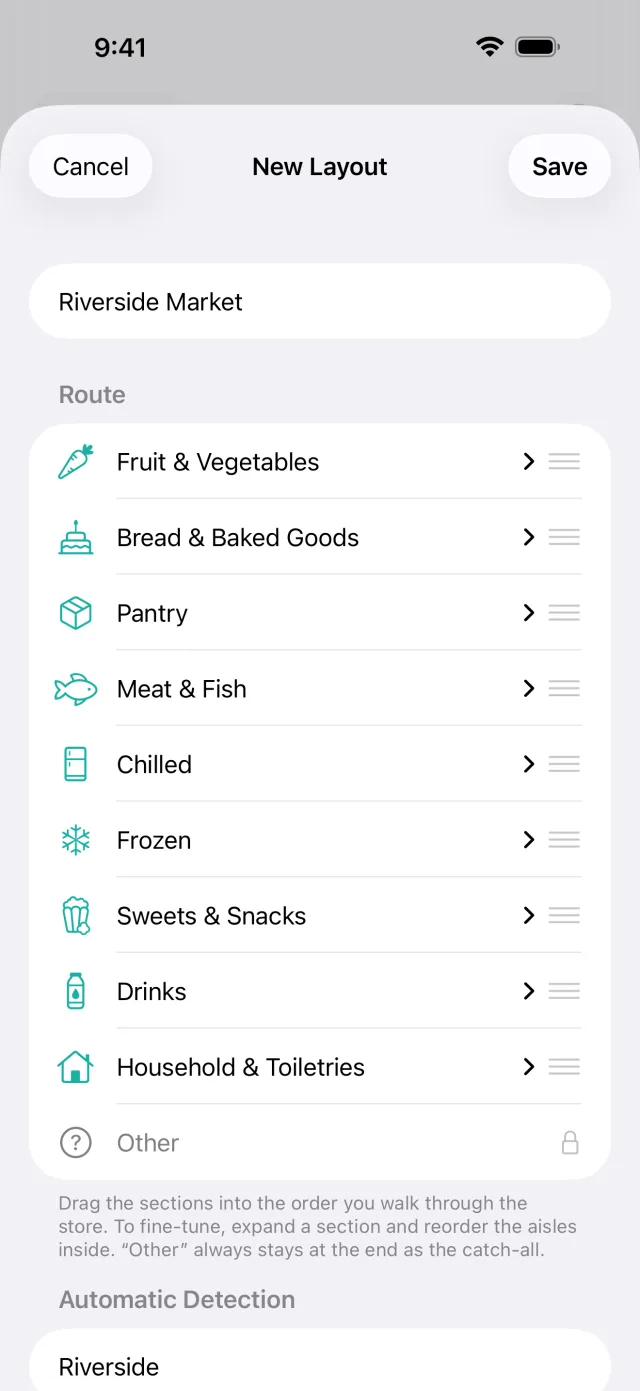
Layout editor with the store's sections in a custom order

One list for everyone

Share the list via iCloud with your partner, family or flatmates. Every change shows up for everyone. Instead of many notifications you get a single one: "5 changes to your list."

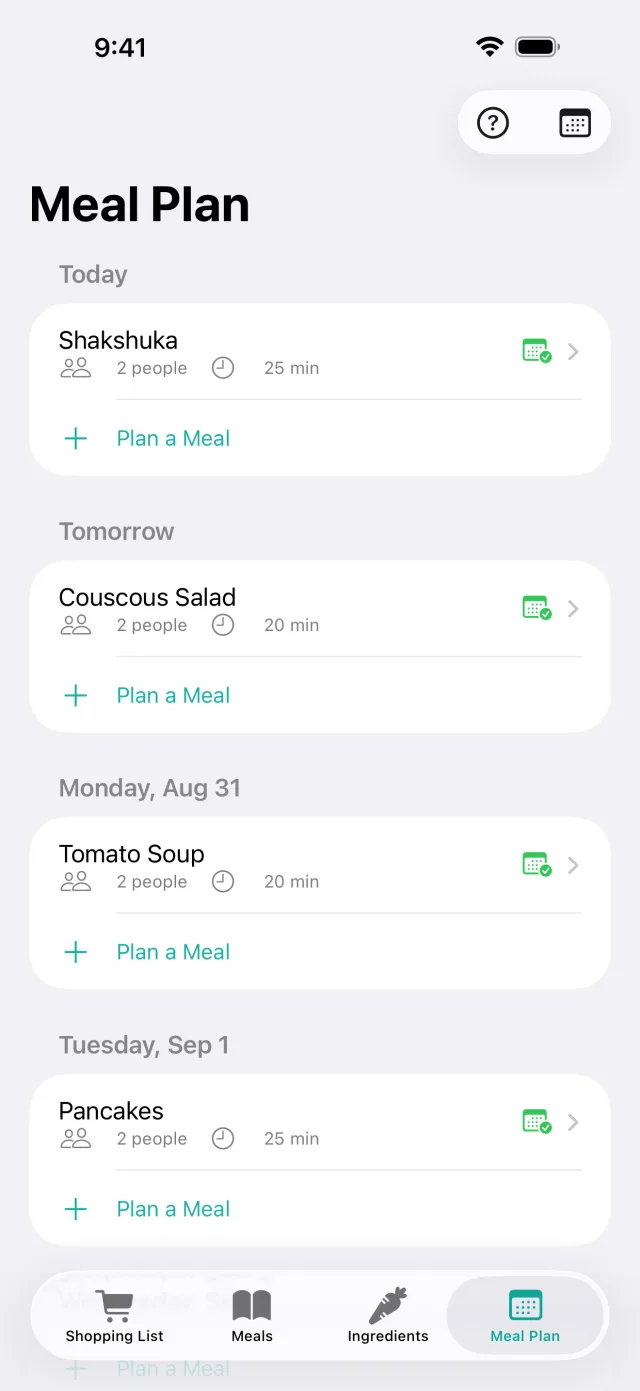
Meal plan with a week view

The week, planned

Plan meals onto days, see the plan in your own calendar if you like, and put every ingredient on the list with one tap.

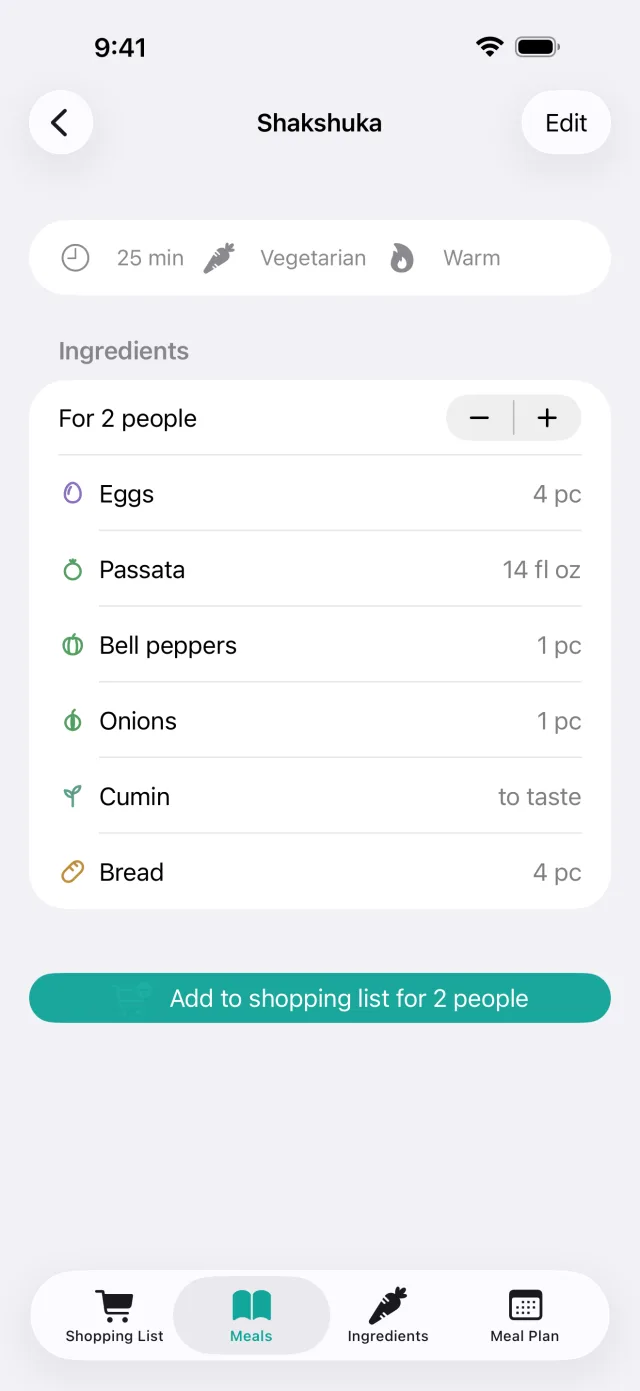
Shakshuka recipe with ingredients and servings

From recipe to list

Set up your recipes once, with building blocks like sauces you can reuse. One tap converts everything to your household size. 22 starter dishes are included.

The list on your wrist

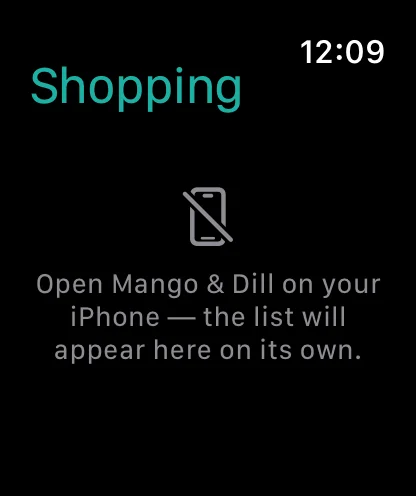
The Watch app shows open items in your store's aisle order. Tap to check off. If your iPhone is not around, the watch remembers your ticks and syncs them later.

Apple Watch showing the shopping list
Coming in 1.6 Siri & Shortcuts Tell Siri what goes on the list. See all commands

New in version 1.5

Three designs.
One list.

Classic, Dill or Mango: pick the look of your list. Switch with one tap in the list settings. Everything else stays exactly where it was.

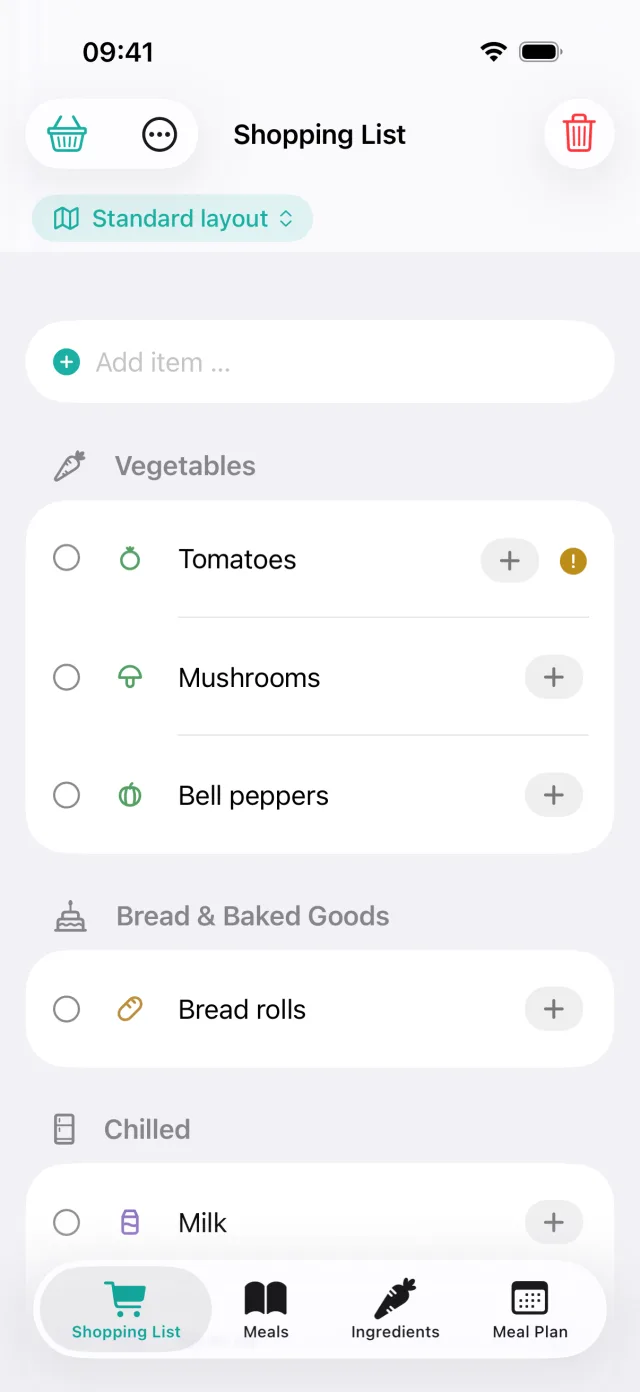
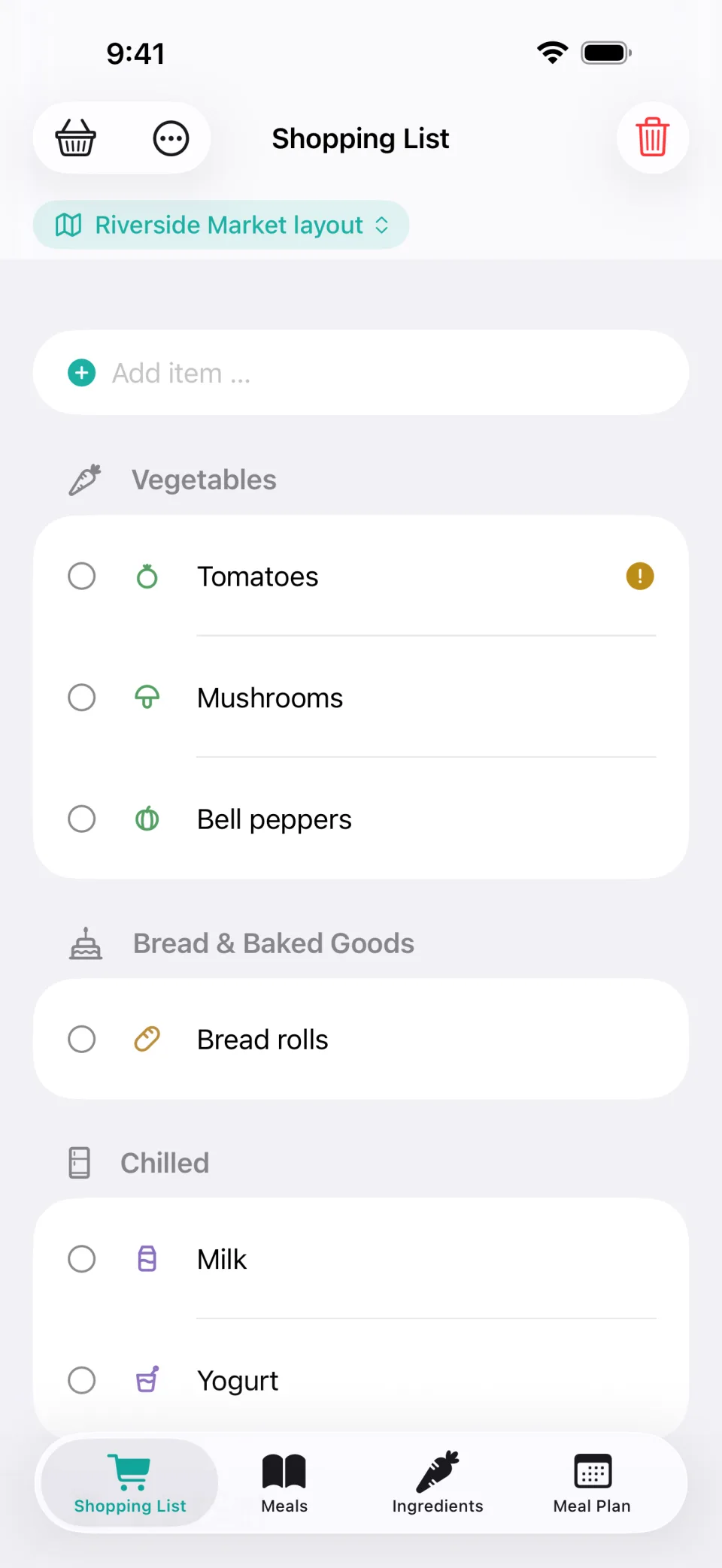
Shopping list in the Classic design: light surfaces, dark text

Classic

Light and calm, close to the look of iOS.

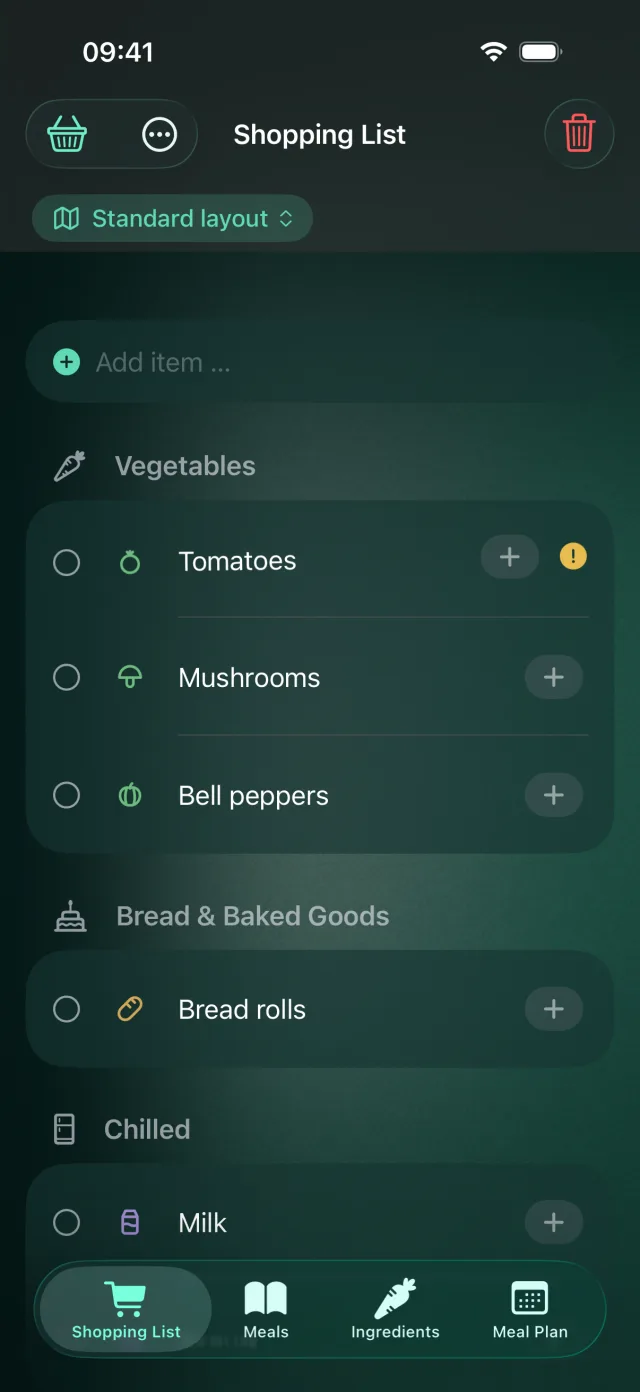
Shopping list in the Dill design: deep green with a glass effect

Dill

Deep green with soft glass. Easy on the eyes at night and under harsh store lights.

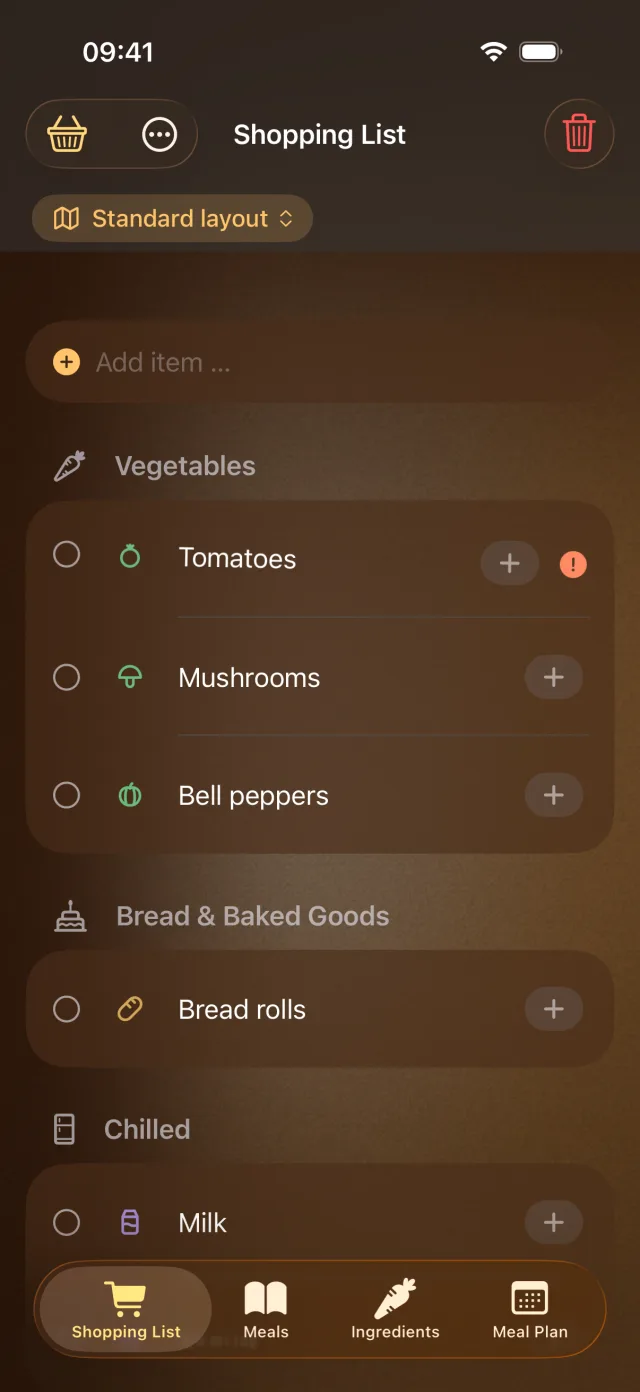
Shopping list in the Mango design: warm brown with golden accents

Mango

Warm brown with golden accents. For anyone who likes it cozy.

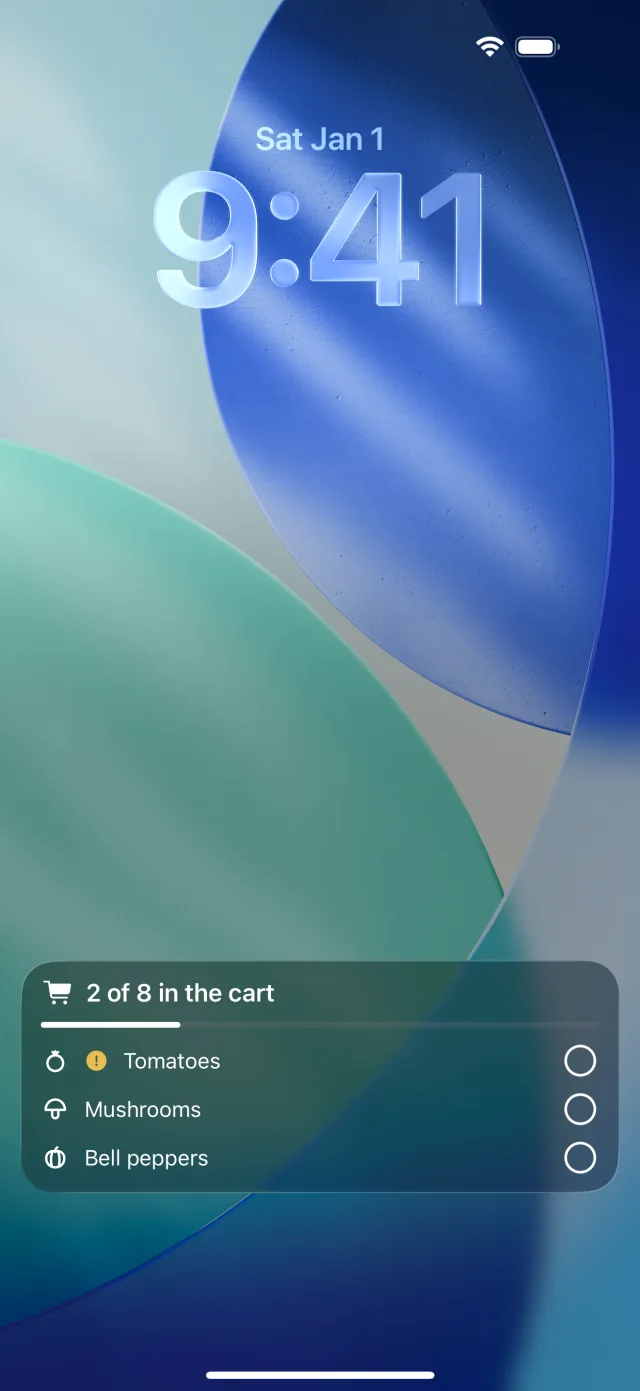
Lock Screen with the Mango & Dill card: next items and progress

Check off without unlocking

In the store you start shopping mode. Your next items sit right on the Lock Screen: tap, done. No unlocking, no hunting for the app.

The card keeps count: "3 of 12 in the cart." Once everything is in, it disappears by itself.

No account. No ads.
No tracking.

Open the app and start. Mango & Dill needs no sign-up.

Sync runs only through your private iCloud. The developer cannot see your data.

This website works without cookies, too.

More on shopping lists and meal plans

Compared: Bring!, Paprika and simple shopping list apps.

Pay once, done

Mango & Dill is a small one-time purchase. No subscription, no ads, no in-app purchases. Built by one person in Germany.

Download on the App Store

You need an iPhone with iOS 18 or later. The app speaks English and German and shows amounts in US or metric units. Questions? support@mangodill.app